

Last Updated: October 30, 2026
Quick Summary
The best time to sell a used laptop is before it turns five years old, ideally within the three-to-five-year window when it still holds meaningful resale value. Listing in July-August or November-December puts your machine in front of more buyers, which supports a higher final price.
- Resale value typically drops to 30-40% of original retail price by year three.
- Demand for used laptops spikes during back-to-school in July and August and the holidays in November and December.
- A laptop past five years old usually sells for parts value or scrap only.
- A local resale store that pays on the spot and wipes your data is the fastest way to sell for cash.
- Perform a full factory reset and wipe the drive before the buyer opens the lid.
Table of Contents
- Why Timing Decides What You Get for Your Used Laptop
- How Much Is My Used Laptop Worth? A Value Checklist
- Used Laptop Depreciation: The 3-5 Year Cliff
- Seasonal Windows: Back-to-School and Holiday Demand
- The Best Place to Sell a Used Laptop for Fast Cash
- How to Prepare a Laptop for Sale and Protect Your Data
- Frequently Asked Questions
Why Timing Decides What You Get for Your Used Laptop
The best time to sell a used laptop is before it turns five years old, ideally within the three-to-five-year window when it still holds meaningful resale value. Sell too late and you are competing against newer hardware at a lower price. Sell too early and you leave money on the table.
Timing is the single biggest lever most sellers ignore. Two identical machines sold six months apart can differ by hundreds of dollars, because the resale price tracks buyer demand and depreciation curves, not your original purchase price.
Below, we break down exactly how to value your machine, when the market pays best, and how to prepare it so you collect the full amount.
How Much Is My Used Laptop Worth? A Value Checklist
, according to Used Laptops: Complete Guide to Buying and Selling. That range is wide because value depends on a handful of specific factors, not just age.
Use this checklist to estimate where your laptop lands:
- Processor generation, buyers pay a premium for current or one-generation-old CPUs
- RAM capacity, 16GB is the modern sweet spot; 8GB is now entry-level
- Storage type, SSD vs HDD matters more than raw capacity
For a deeper breakdown of how each factor shifts your number, read our guide on what affects used laptop resale value most.
Specs That Buyers Pay For
Hardware specifications drive the base number. A machine with a recent processor, 16GB of RAM, and an SSD will always outperform an older unit with a spinning drive, even at the same age. Screen resolution and refresh rate matter too, especially for gaming and creative buyers.
Battery Health and Cosmetic Grading
Battery health is the spec sellers forget. A laptop with a tired battery needs a replacement, and buyers discount for that. Cosmetic grading follows a simple scale: mint, good, fair, poor. Deep scratches and dents push you toward fair, which cuts the offer.
Used Laptop Depreciation: The 3-5 Year Cliff
How to Sell Laptop Back for the Best Price. The drop is not gradual. It accelerates once the hardware falls behind current software requirements and newer models undercut it on price.
That is the cliff. Before it, your laptop is a viable secondary-market device. After it, you are selling parts value or scrap.
What Actually Drives the Cliff
The cliff is generally the point where several forces converge:
- Software floor. When the installed operating system stops receiving security updates, buyers treat the machine as a liability.
- Spec floor. Once 8GB of RAM and a spinning hard drive become the entry-level configuration on new budget machines, an older laptop with the same specs has no price advantage left.
- Supply flood. Off-lease corporate fleets can reach the secondary market in waves. When many identical business-class units list at once, private sellers of the same model can be undercut.
A Year-by-Year Depreciation Curve
Most practitioners find resale value tracks a predictable shape rather than a straight line. As a working model, expressed as a share of original retail price:
| Age | Typical Resale Share | What Buyers Are Paying For |
|---|---|---|
| Year 1 | 60-70% | Near-new condition, full warranty |
| Year 2 | 45-55% | Current-gen specs, remaining warranty |
| Year 3 | 30-40% | Still meets modern software requirements |
| Year 4 | 20-30% | Budget buyers, students, backup machines |
| Year 5 | 10-20% | Niche buyers, parts, refurbishers |
| Past year 5 | Under 10% | Parts value or scrap only |
These are ranges, not guarantees. A high-end machine with a discrete GPU or a business-class chassis with easy serviceability holds value longer than a consumer model with soldered RAM. A machine with a swollen battery or a failing hinge can fall below the curve at any age.
New Microsoft Surface Laptop 13" 13" Snapdragon X Plus 4.0GHz 16GB RAM 512GB →
The Decision Framework
Use age plus condition to pick your exit:
- Under 3 years, good condition: Sell privately or through a buyback program. You are still on the steep part of the curve, and every month of delay costs real money.
- 3-5 years, working: Trade-in or buyback is usually the best risk-adjusted move. The machine still has secondary-market demand, but private-sale hassles (scams, shipping, returns) eat into the premium.
- Past 5 years: Donation or recycling. Working laptops under five years old are best suited for trade-in or buyback programs, while older units are better for donation, according to Gadget Salvation's trade-in, resell, or donate guide.
The Regional Wrinkle Competitors Skip
Depreciation is not uniform across local markets. A three-year-old business-class laptop holds value better in a metro with a large corporate refresh cycle, because local refurbishers and IT buyers compete for off-lease inventory. A consumer gaming laptop holds value better near a university, where student demand props up the used market each semester. Before you list, check what comparable units are actually selling for in your local market, not the national average, because the cliff arrives at different times in different places.
Seasonal Windows: Back-to-School and Holiday Demand
Buyer demand spikes twice a year. Demand for used laptops increases significantly during the back-to-school season in July and August and the holiday season in November and December, according to Nerdbot's seasonal demand analysis.
Outside those windows, expect slower movement and softer offers. The tradeoff is real: waiting for peak season can net more, but only if the machine is not depreciating faster than demand is rising.
| Timing Window | Buyer Demand | Expected Offer | Best For |
|---|---|---|---|
| July-August | High | Strong | Selling within 3-5 years |
| November-December | High | Strong | Selling within 3-5 years |
| January-June | Moderate | Fair | Quick sales, older units |
| Past 5 years | Low | Parts value | Donation or recycling |
The Best Place to Sell a Used Laptop for Fast Cash
The best place to sell a used laptop for fast cash is a local resale store that pays on the spot and wipes your data before the device leaves your hands.
PayMore® stores buy laptops, phones, consoles, and wearables for cash on the spot, with data wiping handled in-store. See PayMore featured on KCAL CBS Los Angeles.
If you are weighing options, a used laptop sold to a store trades a little top-end price for speed, security, and certainty.
How to Prepare a Laptop for Sale and Protect Your Data
Data security is the step that protects you long after the cash is in hand. A proper factory reset with full data sanitization removes your accounts, files, and credentials before the buyer ever opens the lid.
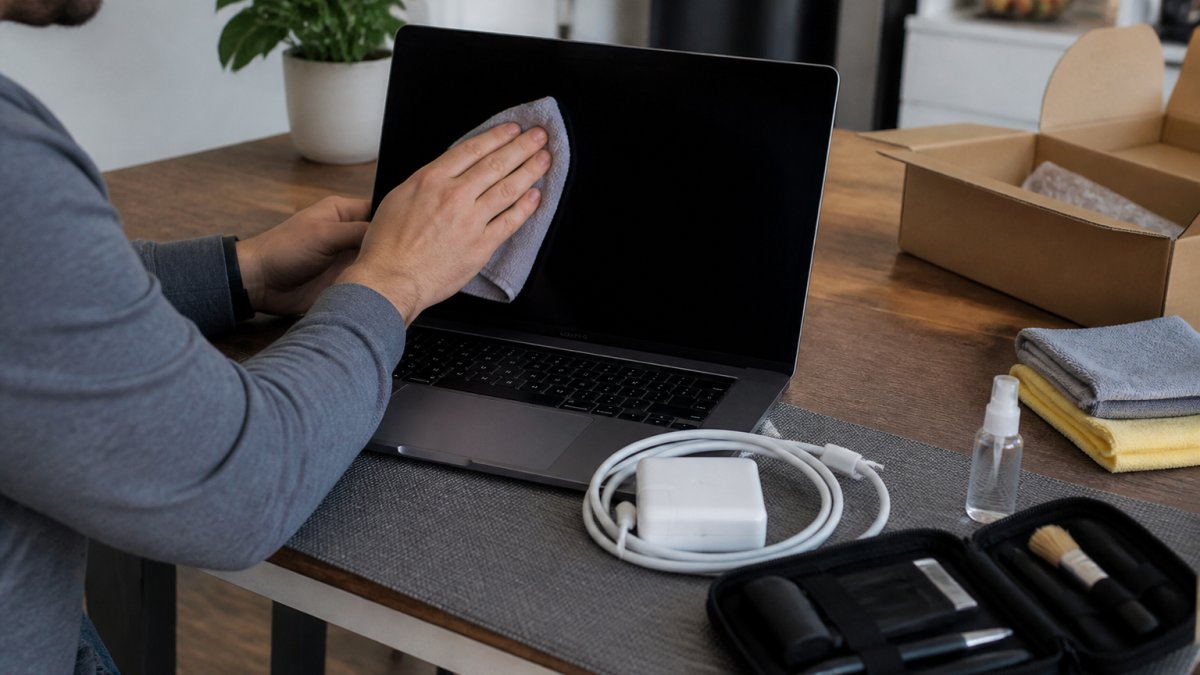
Follow these steps before you sell:
- Back up files to an external drive or cloud account
- Sign out of all accounts, including browser and cloud sync
- Deactivate software licenses tied to your account
- Perform a full factory reset and wipe the drive
- Remove the device from any find-my or tracking service
- Clean the screen, keyboard, and ports
- Gather the charger and original box
Watch out: skipping the license deactivation step can leave your Microsoft or Adobe account tied to a machine you no longer own.
Frequently Asked Questions
How quickly does a laptop lose resale value?
Faster than most owners expect. A laptop typically drops the most in its first year, then keeps sliding as newer processor generations arrive. Laptops generally depreciate significantly over several years of use, and selling sooner generally earns more. A working machine under five years old is the sweet spot for trade-in or buyback programs, while older units are better suited to donation. If your laptop still boots and holds a charge, get it priced before the next model launch.
Is it better to sell a used laptop or trade it in?
It depends on how much effort you want to spend. A private sale can fetch more, but you handle listing, shipping, transaction fees, and scam risk. Trade-in or buyback at a local store pays cash on the spot and wipes your data professionally. Used laptops typically sell for 30% to 60% less than new retail, so the gap between channels is real but often eaten up by shipping costs and time. Pick the channel that matches your timeline.
Should I sell my laptop before or after a new model comes out?
Before. Once a successor model hits shelves, buyer demand shifts and your listing price drops with it. Watch for launch rumors for your model line and list two to four weeks ahead. The same logic applies to seasonal demand: used laptop demand often rises during back-to-school season and again during the holidays. Listing just before those windows puts your machine in front of buyers when they are actively shopping.
What is a fair price to sell a five-year-old laptop for?
Start from the original purchase price, subtract depreciation, then adjust for condition and specs. A five-year-old machine sits right at the edge of the 3 to 5 year depreciation window, so expect a modest figure unless it is a high-demand model with strong RAM and an SSD. Check recent sold listings for your exact model, note battery cycle count and cosmetic wear, and get a local quote as a baseline. A store offer is a real market value you can compare against private-sale listings.
Selling at the right moment takes a little planning, but the payoff is real. If your laptop is still under five years old and you want cash without the risk of a private sale, bring it in. Buy, Sell & Trade Electronics pays on the spot, wipes your data in-store, and backs every purchase with a 30-day warranty and a 7-day money-back guarantee. Get started with Buy, Sell & Trade Electronics and turn your old laptop into cash today.
