

Last Updated: October 26, 2026
Quick Summary
The best place to buy cheap laptops is a reputable seller that pairs tested hardware with a usable return window and a written warranty, since price alone rarely reflects total cost. Prioritize sellers offering at least 7 days for returns and 30 days of warranty coverage, and compare total cost including charger and battery.
- A decent new laptop usually runs $500 to $750, while a basic machine under $500 can cover light needs.
- Every Buy, Sell & Trade Electronics purchase includes a 30-day warranty and a 7-day money-back guarantee.
- Check battery health, screen, keyboard, ports, and charger before paying for any used laptop.
- The Asus Vivobook 14 R565E at $199.99 pairs 20GB of RAM with a 128GB SSD and genuine charger.
- Track a model's price for two weeks before buying so you can tell a real markdown from a permanent sale.
Table of Contents
- Why the Cheapest Listing Is Rarely the Best Deal
- How We Ranked the Best Places to Buy Cheap Laptops
- Where to Buy Refurbished Laptops Without the Guesswork
- What to Check When Buying a Used Laptop
- Best Budget Laptops by Use Case
- New vs Refurbished: Which Stretch Your Budget Further
- Timing Your Purchase: Price Tracking and Deal Windows
- Visit a Local Store to Buy Your Next Laptop
- Frequently Asked Questions
Why the Cheapest Listing Is Rarely the Best Deal
The cheapest laptop on the shelf is almost never the cheapest laptop to own.
A decent new laptop usually runs $500 to $750, according to PCWorld's laptop buying guidance, while a basic machine under $500 can cover light needs.
Below, we rank where to buy cheap laptops on total value rather than sticker price, and we show you exactly what to check before you pay.
How We Ranked the Best Places to Buy Cheap Laptops
We scored sellers on four things: return window, warranty terms, total cost of ownership, and whether you can inspect the device before money changes hands. Price came fourth, not first. That ordering is deliberate.
| Criterion | What We Look For | Why It Matters |
|---|---|---|
| Return window | 7+ days, no restocking fee | Time to catch dead pixels or a weak battery |
| Warranty | 30+ days, written terms | Covers post-purchase failures |
| Total cost of ownership | Price + charger + battery + repairs | Reveals the true price |
| Inspection | In-person or detailed photos | Confirms condition before payment |
Return Windows and Warranty Terms
A return policy is worth more than a discount. Wirecutter advises budget shoppers to stick with major retailers that offer good return policies, and that logic applies to any seller.
At Buy, Sell & Trade Electronics, every purchase includes a 30-day warranty and a 7-day money-back guarantee, and you can review the full warranty policy before you commit. That is the standard we would hold any seller to.
Total Cost of Ownership
Add up the laptop, a charger, a battery replacement, and one repair. A $199 machine that needs a $60 charger and a $90 battery costs $349. A $279 machine with a genuine charger included often wins. Compare the total, not the tag.
Where to Buy Refurbished Laptops Without the Guesswork
Refurbished is where the best value hides, provided the seller tests and stands behind the device. Refurbished laptops are pre-owned machines that have been inspected, wiped, and resold with a warranty.
Selection is easy to find, verification is not.
This is the gap we fill. Every refurbished Windows laptop we sell is tested, professionally data-wiped, and covered by our 30-day warranty, with same-day pickup available at our stores.
What to Check When Buying a Used Laptop
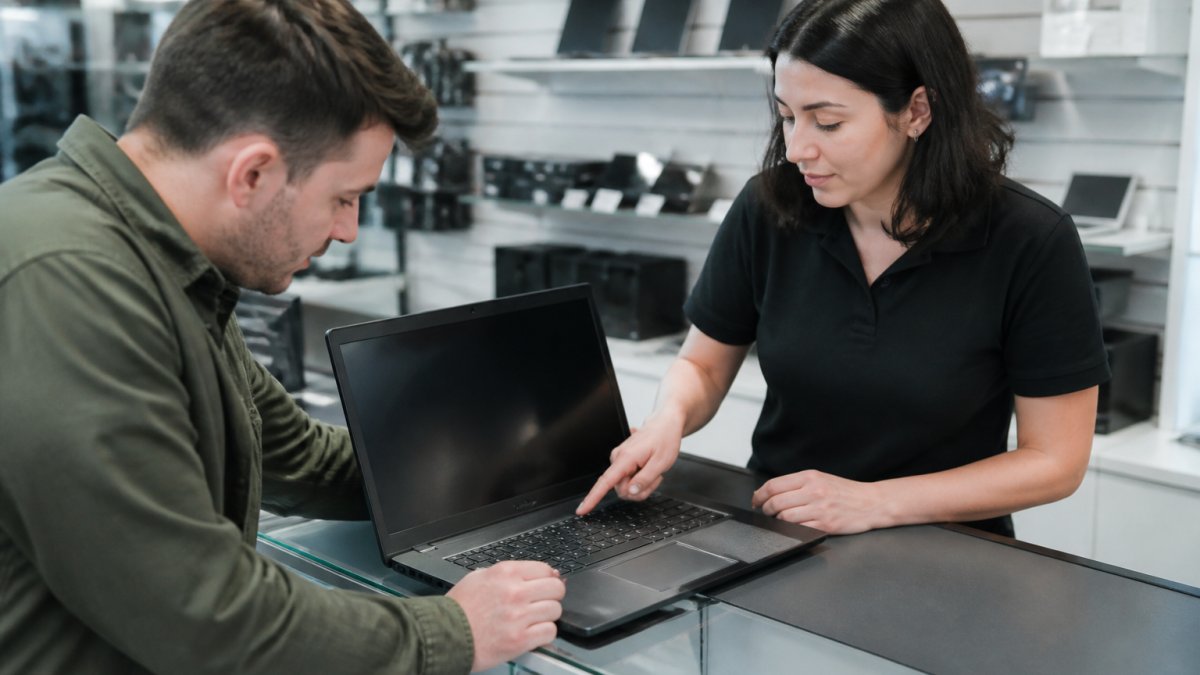
Check five things before you pay: battery health, screen condition, keyboard function, port integrity, and whether the charger is genuine. Skip any one and you inherit someone else's problem.
Here is the checklist we would hand a friend:
- Battery reports 80% capacity or better
- No dead pixels or pressure marks on the screen
- Every key registers, including the space bar and trackpad click
Watch out: a laptop sold "as-is" with no return window is not a bargain, it is a gamble.
Best Budget Laptops by Use Case
Most budget-laptop pages hand you a wall of inventory and let you guess. A better approach is to start with the job, set a floor for the specs that job actually needs, and only then compare listings.
Here are the baselines we would hold any budget laptop to, by use case, followed by real examples from our current stock.
| Use case | Memory (RAM) | Storage | Processor class | Battery target | Software support |
|---|---|---|---|---|---|
| Browsing, email, streaming | 8GB | 128GB SSD | Modern dual-core or better | 6+ hours | Windows 11 or current ChromeOS |
| School and note-taking | 8GB | 128GB SSD | Modern dual-core or better | 7+ hours | Windows 11 or current ChromeOS |
| Work and multitasking | 8-16GB | 256GB SSD | Intel i5 / Ryzen 5 class | 7+ hours | Windows 11 |
| Light gaming | 16GB | 512GB SSD | Intel i7 / Ryzen 7 class | 5+ hours plugged in | Windows 11 |
Two rules sit above the table. First, storage should be an SSD, not a spinning hard drive, a hard drive is the single biggest reason a cheap laptop feels slow on day one. Second, check the software support window before you buy: a machine that cannot receive security updates is not a bargain at any price.
School and Everyday Browsing
The Asus Vivobook 14 R565E is our pick for students and light browsing at $199.99. It pairs a 14-inch display with 20GB of RAM, a 128GB SSD, and a genuine charger in the box. For note-taking, research, and streaming, that is more memory headroom than most sub-$200 machines offer, and the SSD keeps startup and app switching quick. You can see the Vivobook listing and condition notes to compare it against your study needs.

Work and Multitasking
For office work, the Lenovo Yoga 7i 2-in-1 at $279.99 brings a 15.6-inch display, an Intel i5, 8GB of RAM, and a 256GB SSD. The 2-in-1 hinge makes it useful for presentations, and the i5 class processor is the right floor for spreadsheets, video calls, and a dozen browser tabs at once. Budget note: it ships without a charger, so factor that into your total.
Asus Vivobook 14 R565E 14" i3-1115G4 3.0GHz 20GB RAM 128GB SSD →
Gaming on a Budget
The Acer Predator Helios 300 at $599.99 is the value play for gamers. It carries an i7-9750H, 16GB of RAM, a 512GB SSD, and a GeForce GTX 1660 Ti. It costs three times the Vivobook, and it is still the cheapest way into real gaming performance we stock. The 16GB of memory and dedicated graphics are the two specs that separate a gaming-capable machine from a laptop that merely runs games at low settings.
When to Spend Less Than the Baseline
If your work is entirely browser-based, web apps, email, streaming, video calls, an 8GB Chromebook or a Windows machine at the browsing baseline is enough, and you should not pay for a discrete graphics card or a high-refresh display. Spend the savings on a longer warranty instead. The opposite is true for gaming and creative work: dropping below 16GB of RAM or 512GB of storage usually costs more in upgrades later than it saves up front.
New vs Refurbished: Which Stretch Your Budget Further
Refurbished stretches a budget further in almost every case, because you trade the newest model year for tested hardware at a lower price.
The trade-off is warranty length and cosmetic wear. New machines carry a manufacturer warranty; refurbished machines carry the seller's.
One more data point on timing: a Dell 14S was listed at $800, down from $950, a $150 discount, per Wirecutter's deal tracking.
Timing Your Purchase: Price Tracking and Deal Windows
A discount is only real if you know the normal price. Retailers promote sale pages year-round, and CNET has reported laptop deals with savings up to $500, but a headline percentage off means little without a price history to compare against. The practical skill is learning to tell a genuine markdown from a manufactured one.
How to Track a Price Before You Buy
Pick the exact model, not the product line, and record its price once a week for two to three weeks. Use a browser price tracker or a retailer's own price-history chart if it publishes one, and note the price on the same day each week so the comparison is fair. A model that has sat at $649 for a month and drops to $599 is a real $50 cut. A model that lists at $899, 'sells' at $649, and returns to $899 every few weeks is showing you a permanent sale, not a deal.
Three timing rules we would follow:
- Track the model for two weeks before buying to learn its normal price
- Shop back-to-school and holiday windows when discounts peak
- Check refurbished stock first, since pre-owned pricing moves less with retail cycles
Reading the Fine Print on Promotions
Before you treat a markdown as savings, confirm four things: whether the price includes shipping, whether tax is added at checkout, whether the sale price applies to the configuration you actually want, and whether the return window shrinks during promotional periods. A $40 discount that arrives with a 14-day return window and a restocking fee can cost more than a full-price unit with a 30-day no-fee return.
A Best Buy listing showed a laptop at $2,599.99 with 24-month financing, per Best Buy's product listing. That is a reminder that financing makes expensive machines feel cheap. It does not make them cheap, and a monthly payment is not a price.
The Total-Cost Check Before You Click Buy
Run the same math on every candidate before you commit. Add the sticker price, shipping, sales tax, a charger if one is not included, and any likely near-term upgrade such as a battery or additional storage. Then subtract the value of the return window and warranty. The lowest total wins, even if it is not the lowest sticker.
One more data point on timing: a Dell 14S was listed at $800, down from $950, a $150 discount, per Wirecutter's deal tracking. Deals exist, but they reward patience and a written record of the normal price.
Visit a Local Store to Buy Your Next Laptop
Shopping in person lets you test the battery, feel the keyboard, and confirm the charger before you pay. That is the single biggest advantage a physical store has over an online listing.
At Buy, Sell & Trade Electronics, our locally owned stores are staffed by community members, and every device is tested and data-wiped before it hits the shelf. We are licensed, bonded, and insured, so the transaction is as safe as the hardware.
Frequently Asked Questions
What is the cheapest store to buy a laptop?
There is no single cheapest store, because the lowest sticker price often hides weaker return policies or missing chargers. PCWorld puts a decent laptop at $500 to $750, and a Chromebook or basic work laptop under $500 can cover basic needs. Wirecutter advises budget shoppers to stick with sellers that offer good return policies. Compare the sale price against the return window and warranty before you decide.
Is it better to buy a refurbished laptop or a new one?
Refurbished usually wins on value if the seller stands behind the device. A refurbished Windows laptop can cost a fraction of a new one while still handling browsing, schoolwork, and office tasks. The trade-off is condition and battery wear, so ask about the inspection process and warranty. If a seller offers a 30-day warranty and a money-back window, the risk drops sharply compared with a private sale.
What should I check before buying a used laptop?
Test the screen for dead pixels and scuffs, type on every key, and check that the hinges hold firm. Confirm the charger is included, since a missing one adds cost. Ask about battery cycle count and whether the drive was wiped. Run a quick Wi-Fi and audio test in the store. Finally, confirm the return window and warranty in writing so you know what happens if something fails after you leave.
How much should I spend on a budget laptop?
For basic browsing, email, and schoolwork, $190 to $300 buys a capable refurbished Windows machine. PCWorld notes a decent new laptop usually runs $500 to $750, so refurbished pricing leaves real room in the budget. If you need more RAM or a dedicated graphics card for gaming, expect to move toward the $600 range. Spend on the specification that matches your use case, not on the newest release year.
Where can I get laptops for cheap without risking a bad device?
Buy from a seller that inspects and tests each unit, lists the exact condition, and backs the sale with a warranty. Local resale stores let you see the machine before paying, which removes shipping surprises. Ask whether the device was data-wiped and whether a charger is included. A 30-day warranty plus a 7-day money-back guarantee gives you time to catch problems that only show up after a few days of use.
The real challenge with cheap laptops is not finding a low price, it is finding a seller who stands behind the machine after you leave. That is what we built our stores around: a 30-day warranty on every purchase, a 7-day money-back guarantee, professional data wiping, and real people at a counter who will boot the laptop up with you. Get started with Buy, Sell & Trade Electronics and buy a cheap laptop you will not have to replace in a year.
